
The UX writer who merged a pull request
How we were (quite literally) handed the keys


My UX writing team doesn’t write code, yet we’ve been working with GitHub for years. How does that work?
Before
GitHub for software localization
Our product is available in five languages and the copy, which we originally write in English, lives in Figma together with the designs. Once the English source is final and we’re ready to start translating, we move to Lokalise, the software we currently use to centralize localization management.
There we create and update translation keys, which are associated with one string in each of the five languages of our UI. Then we merge the project branch into the main branch and check for any conflicts.
If everything looks fine, we can export the keys to GitHub. Lokalise is connected to our product’s repository, and we have it configured so that each export opens a pull request directly on GitHub.
GitHub receives our push as a package containing five .json files, one per language. One of our lovely frontend developers then reviews, approves and merges the pull request. Each code release has its own translations, and the translations are always kept up to date across our web and mobile platforms.
GitHub for product documentation
Our product docs and API reference are largely prepared by technical colleagues, with UX writers acting as the editorial team. We take care of the layout, content structure, terminology, tone and style, among other things.
I’ve talked about experimenting with docs and LLMs in this post:
 Elisa Trippetti
To work on our product docs (which we host on Docusaurus), we open and publish a new branch on GitHub, then make our changes in markdown in Visual Studio Code.
We check and commit our changes locally before pushing them to GitHub, where we create a pull request. Then a reviewer from frontend or another technical team reviews, approves and merges the pull request.
After
You’ve probably noticed that, in both cases, we stopped just short of closing the circle. We put in the work and covered a good portion of the workflow, but never took it end-to-end. It was always someone else who had to step in and sign off.
Thanks to our immensely patient and cooperative frontend lead, this has changed now. One morning, he just came over and said:
What if I gave you folks ownership of the merge? Nobody knows the copy better than you.
The same afternoon he talked with our director of engineering, and they both concluded there was no reason why we UX writers shouldn’t fully manage our own pull requests.

What made it possible?
We’ve come a long way as writers in this team. Over the last few years we’ve shown interest in trying new tools and processes, we’ve been prompt, we’ve coordinated often. I like to think we’ve earned enough trust and reached enough maturity for this to be a natural next step.
But there’s a practical reason as well: what’s a mundane, repetitive task for busy developers is added value for us in UX, as we gradually pivot into more technical roles. We take something off their plate, we gain more ownership and become independent in our software localization and product documentation work.
Now we have a deeper understanding of what happens, and we’re a lot more involved with GitHub.
Before, we’d only export the keys to Figma and link them to the designs as string variables. We’d switch between the five languages and test the multilingual experience that way. These were effectively our writing specs.
While preparing the content, we now also check how both the keys and the docs look in real time. We can review the real thing (not just the designs) in two local testing environments that frontend has helped us set up.
After the content is ready, we go through the diff in each language, edit descriptions and changesets, leave comments for others. As we do this, we can familiarize ourselves with the checks that are happening in parallel, such as the automated QA test suite and security vulnerability scans.
Then, we can finally approach the last mile ourselves: approve another writer’s pull request, merge our own, or debug and close those that don’t look right.
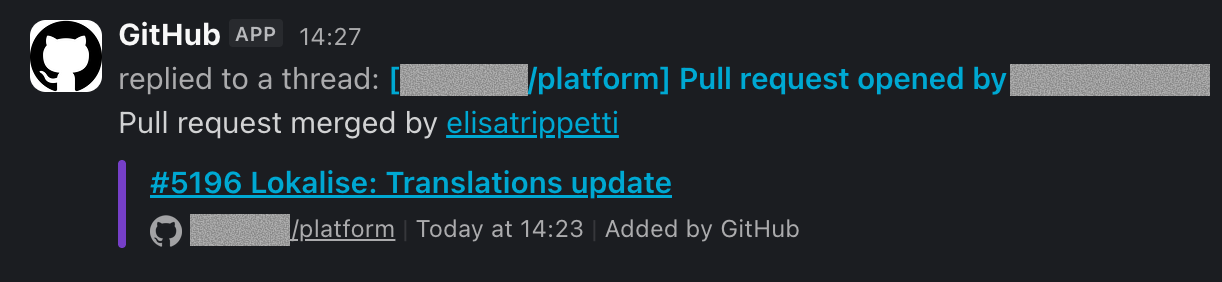
The title of this post is inspired by Sarah Kessler’s “The Content Designer Who Opened a Pull Request”.
Go read about all the cool content design tools she’s been vibe-coding to solve actual problems for her team.
 Sarah Kessler

Ciao 👋 I’m Elisa, an Italian product writer and translator who believes good design is service. This is where I document my work in UX.
Let’s talk words
Don’t be a stranger. Connect with me on LinkedIn or Medium to talk about all things content design, UX writing and localization.
Come say hi!